



Need to connect BACnet and M-Bus? The Weble WBox routes BACnet M-Bus natively: one gateway speaks both protocols and maps data points in real time — no PC, no middleware, no cloud dependency.
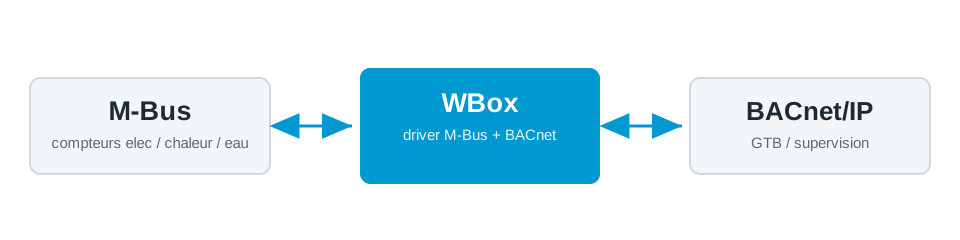
The protocols
BACnet
BACnet (BACnet/IP, MS/TP) is the standard for building management systems and HVAC supervision.
BACnet driver →M-Bus
M-Bus reads heat, water, gas and electricity meters over a dedicated 2-wire bus.
M-Bus driver →Typical use case
A BACnet BMS needs the meter data sitting on an M-Bus loop — district heating, cold and hot water, electricity sub-meters. Instead of a separate metering concentrator and a manual export, the WBox exposes each M-Bus meter as BACnet objects the BMS reads directly. This is the standard path for tenant billing, ESG and consumption reporting in commercial and multi-tenant buildings, with every reading time-stamped and trended in the same system.
How the WBox bridges BACnet and M-Bus
Activate the BACnet and M-Bus drivers. The WBox polls the M-Bus meters on a schedule, reads the records you select (energy, volume, power, flow and return temperatures) and maps each to a BACnet Analog Input with the correct unit and COV increment. The BMS then polls them like any native point. A JavaScript step can derive values — for example turning a kWh index into instantaneous power — before they appear on BACnet.
Example mapping
A worked example, all on one gateway:
- M-Bus meter
#3energy (kWh) → BACnetAnalog Input 30 - M-Bus meter
#3volume (m³) → BACnetAnalog Input 31 - M-Bus meter
#3flow temperature (°C) → BACnetAnalog Input 32
Route BACnet M-Bus on your project
Find the right WBox gateway for your installation, or get in touch to validate your case.
Configure my gateway© 2026 Weble GmbH. All rights reserved. General conditions