



KNX runs the field — lighting, blinds, room-level comfort. The BMS, however, is BACnet. To supervise and control KNX from the BMS, you need to translate KNX group objects into BACnet objects. (For the underlying differences between the two standards, see the KNX vs BACnet guide.)
Integrating KNX into a BACnet BMS
How to bring a KNX installation into a BACnet supervision system, step by step.
The context
The steps
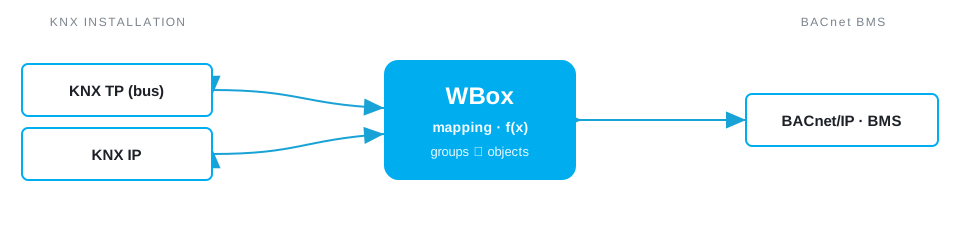
- Inventory the KNX group objects — group addresses and types (DPT), from the ETS project.
- Choose what should be exposed — states, measurements, setpoints to surface to the BMS.
- Map each KNX object to a BACnet object — analog/binary input (read) or value (read/write).
- Convert the types — from KNX DPT to the expected BACnet type (scaling, unit).
- Define access — which objects the BMS may write (control) and which are read-only.
- The BMS discovers the objects — and uses them like any other BACnet device.
Things to watch
Pay attention to type matching (a KNX DPT does not always have a direct BACnet equivalent), write rights (who controls what, to avoid conflicts between KNX and the BMS), refresh frequency with a hysteresis, and a consistent naming of objects to ease operations.
The simple way: the WBox
The WBox gateway does all of this by drag and drop, with no intermediate PLC — see the dedicated KNX ⇄ BACnet gateway page. You need the KNX driver and the BACnet driver on the same gateway.
© 2026 Weble Sàrl. All rights reserved. General conditions Product security